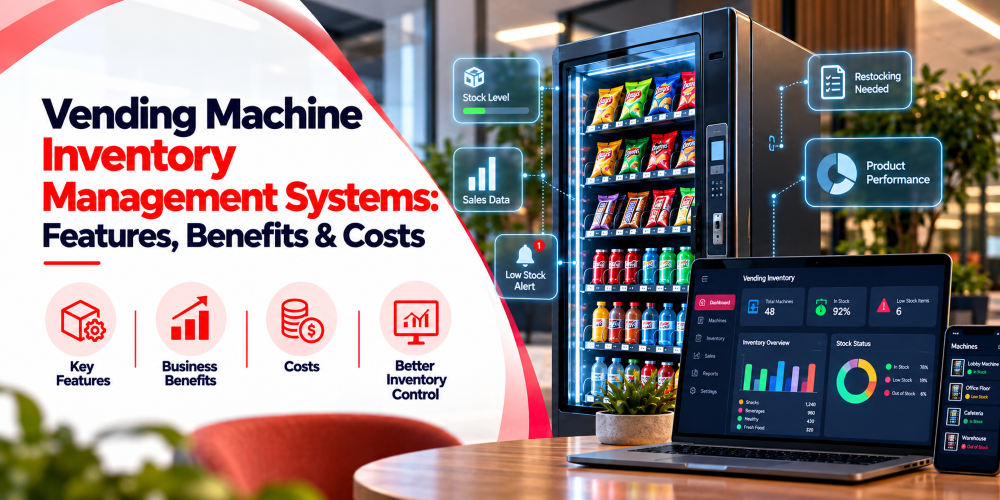
Managing inventory across multiple vending machines can be challenging without accurate stock tracking and timely restocking.
Vending machine inventory management systems help operators monitor stock levels, track sales, and streamline replenishment through centralized software. These systems can integrate inventory data, warehouse records, and automated alerts.
This guide covers how these systems work, their key features, benefits, costs, and how to choose the right solution.
What Is a Vending Machine Inventory Management System?
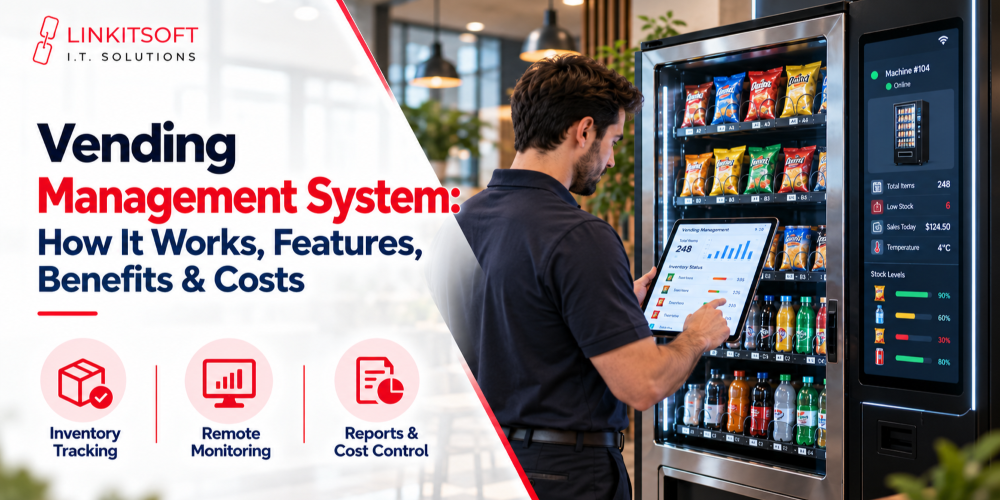
A vending machine inventory management system is software that helps operators track, organize, and manage products stored in vending machines.
It maintains records of available quantities, product movement, restocking activities, and inventory adjustments. Some platforms also support warehouse and service vehicle inventory.
The main functions include:
- Inventory Tracking: Monitoring product quantities across vending machines.
- Stock Alerts: Identifying items approaching minimum stock levels.
- Restocking Management: Organizing machine replenishment activities.
- Inventory Reporting: Reviewing sales-related stock movement.
- Warehouse Tracking: Managing products stored outside vending machines.
For example, an operator managing machines across several offices can use inventory software to identify locations running low on beverages without inspecting every machine individually.
How Do Vending Machine Inventory Management Systems Work?
Vending inventory management software collects and organizes product information using compatible machine connections, transaction data, or manual inventory updates.
The process generally involves five stages.
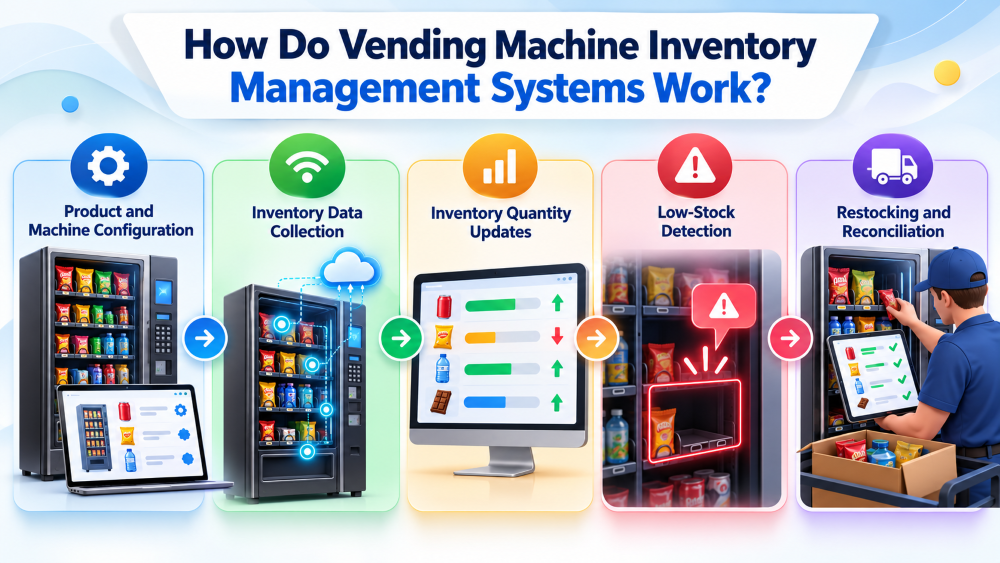
1. Product and Machine Configuration
Operators create a product catalog and assign items to specific vending machine selections.
Accurate product mapping helps the software associate transactions with the correct inventory records.
2. Inventory Data Collection
Compatible vending machines transmit transaction or operational information through supported telemetry devices and communication interfaces.
Machines without remote connectivity may require manual inventory updates.
3. Inventory Quantity Updates
When a successful sale is recorded, the system can calculate the corresponding change in stock.
For example, if a machine contains 30 bottles of water and records eight sales, its calculated remaining inventory is 22 bottles, assuming accurate records.
4. Low-Stock Detection
Operators configure minimum inventory thresholds for products or machine locations.
When recorded quantities reach those thresholds, the software can flag items for replenishment or generate notifications.
5. Restocking and Reconciliation
After products are added to a machine, staff record the actual quantities delivered.
Physical stock checks can also help identify differences between recorded inventory and available products.
Key Features of Vending Machine Inventory Management Systems
Modern vending inventory management software provides capabilities that help operators monitor stock, prepare replenishment activities, and manage inventory across multiple locations.
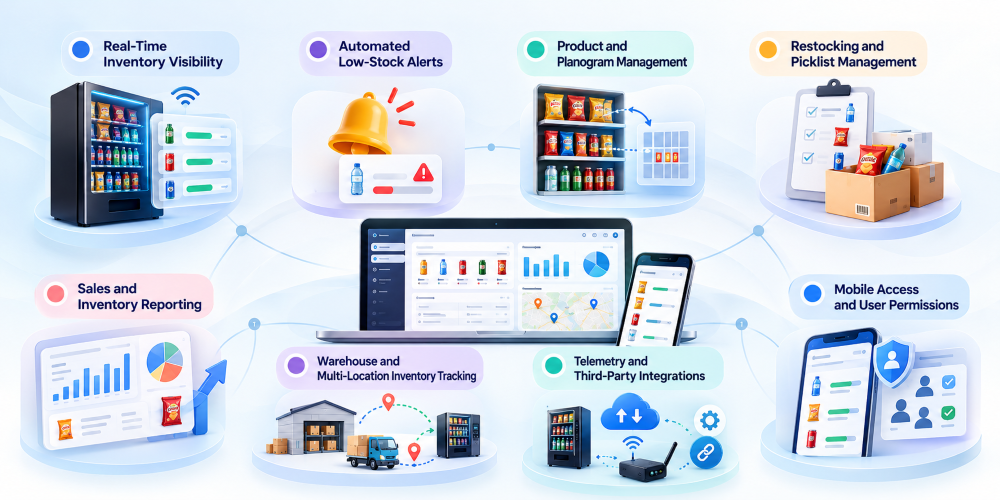
Real-Time Inventory Visibility
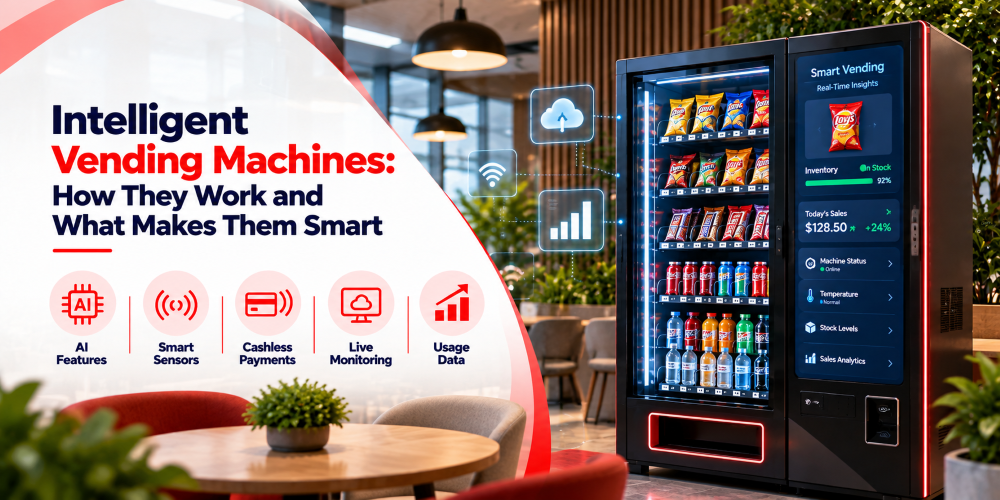
Real-time inventory visibility allows operators to review recorded stock levels across connected machines through a centralized dashboard. Instead of checking every machine physically, teams can use available inventory data to identify locations needing attention.
Updates may occur after transactions or scheduled synchronization, depending on connectivity.
Key capabilities include:
- Viewing product quantities
- Monitoring multiple machine locations
- Checking inventory update times
This supports informed replenishment planning and reduces dependence on manual inspections.
Automated Low-Stock Alerts
Automated low-stock alerts notify operators when recorded inventory reaches predefined thresholds. Businesses can configure these thresholds based on product demand, machine location, and replenishment frequency.
Alerts help identify products that may require attention before the next service visit.
Common capabilities include:
- Setting product-specific stock limits
- Identifying machines requiring refills
- Reviewing low-stock notifications
These features help operators prioritize replenishment and reduce the risk of unexpected product shortages.
Product and Planogram Management
Product and planogram management helps operators assign products to specific vending machine selections. Accurate mapping ensures that sales records correspond to the correct inventory items.
A planogram identifies product placement within a machine and supports consistent inventory tracking when product assortments change.
Important capabilities include:
- Assigning products to machine slots
- Updating product placement records
- Maintaining consistent product identifiers
Keeping planograms updated helps align software records with actual machine configurations.
Restocking and Picklist Management
Restocking and picklist management helps operators prepare products for vending machine replenishment. Software can use available quantities and target stock levels to suggest which items should be delivered.
This helps service teams organize products before visiting machine locations.
Typical capabilities include:
- Generating machine-specific picklists
- Calculating suggested refill quantities
- Recording completed replenishment activities
Accurate picklists help reduce guesswork and support more organized vending restocking workflows.
Sales and Inventory Reporting
Sales and inventory reporting provides information about product movement, available stock, and replenishment history. Operators can review these records to understand demand patterns and identify inventory discrepancies.
Reporting accuracy depends on reliable transaction data and inventory updates.
Common capabilities include:
- Reviewing product-level sales activity
- Comparing inventory across locations
- Monitoring restocking and adjustment history
These reports support better product allocation decisions and help businesses evaluate inventory performance.
Warehouse and Multi-Location Inventory Tracking
Warehouse and multi-location inventory tracking helps businesses manage stock stored outside vending machines. Products may move between warehouses, service vehicles, and vending locations before reaching customers.
Recording these movements provides greater visibility into inventory distribution.
Common capabilities include:
- Monitoring warehouse stock quantities
- Recording inventory transfers
- Reviewing stock movement history
This helps operators coordinate replenishment activities and maintain organized records across different storage locations.
Telemetry and Third-Party Integrations
Telemetry and third-party integrations allow compatible vending machines to exchange operational information with inventory management software. Depending on hardware support, connected devices can provide transaction records used to calculate stock changes.
Integration capabilities vary across machines and software platforms.
Common capabilities include:
- Receiving machine transaction data
- Connecting compatible telemetry devices
- Exchanging information with business applications
These connections can reduce manual data entry and support centralized inventory monitoring.
Mobile Access and User Permissions
Mobile access enables authorized employees to review inventory information and record replenishment activities while visiting vending locations.
Role-based permissions help businesses control which employees can access inventory records and management functions.
Common capabilities include:
- Viewing machine inventory remotely
- Recording restocking activities
- Managing employee access permissions
These features help service teams maintain consistent inventory records across multiple locations.
Benefits of Vending Machine Inventory Management Software
Vending inventory management software helps operators improve stock accuracy, streamline restocking, and manage multiple machines more efficiently.
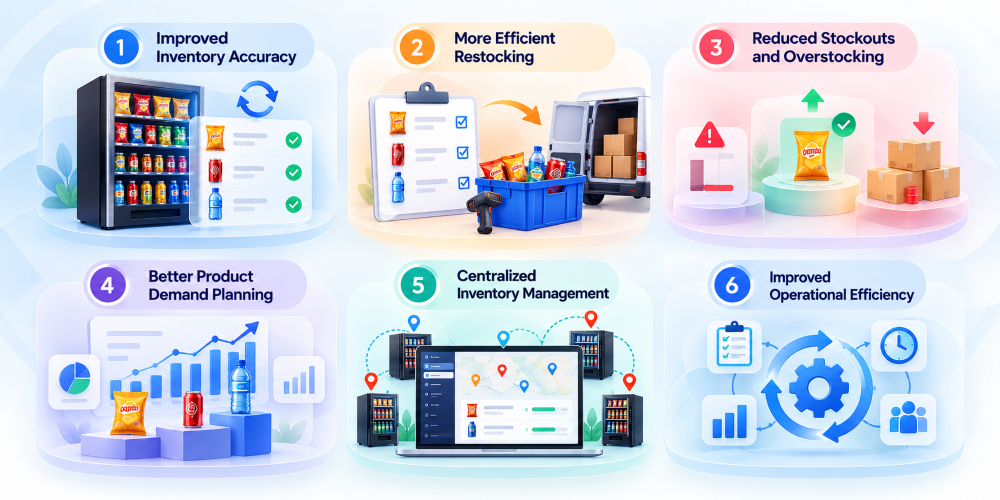
1. Improved Inventory Accuracy
Automated tracking keeps inventory records updated with sales and restocking activities, reducing manual errors and improving stock visibility.
2. More Efficient Restocking
Real-time stock information helps operators identify machines requiring replenishment, organize service visits, and avoid unnecessary trips.
3. Reduced Stockouts and Overstocking
Low-stock alerts and sales data help businesses maintain appropriate inventory levels, minimizing product shortages and excess stock.
4. Better Product Demand Planning
Sales analytics reveal popular and slow-moving products, helping operators optimize product selection and inventory quantities across locations.
5. Centralized Inventory Management
A unified dashboard allows operators to monitor inventory across multiple machines, improving coordination between warehouse staff and service teams.
6. Improved Operational Efficiency
Automated inventory updates, organized reporting, and streamlined workflows reduce repetitive manual tasks and help teams manage daily operations more effectively.
How Much Do Vending Machine Inventory Management Systems Cost?
The cost of vending machine inventory management systems depends on software capabilities, machine compatibility, integration requirements, and the scale of operations.
Businesses should consider the following factors when evaluating a solution:
- Software Subscription: Recurring licensing or service plans based on machines, features, or users.
- Telemetry and Connectivity: Compatible devices and network connections required for remote inventory monitoring.
- Setup and Integration: Product configuration, machine mapping, data migration, and connections with existing systems.
- Custom Development: Specialized dashboards, inventory workflows, reporting tools, or hardware integrations.
- Maintenance and Support: Software updates, technical assistance, and ongoing system management.
Subscription-based software may suit businesses with standard inventory requirements, while custom solutions may be appropriate for operators needing specialized functionality.
Evaluating these factors helps businesses select a solution aligned with their operational needs.
Linkitsoft Case Studies: Inventory Management in Real Vending Applications
Linkitsoft has developed vending applications that incorporate inventory monitoring and operational management capabilities.
The following examples are drawn from case studies published on Linkitsoft’s official website.
Case Study 1: Donut Trap – Automated Inventory Management
The Challenge
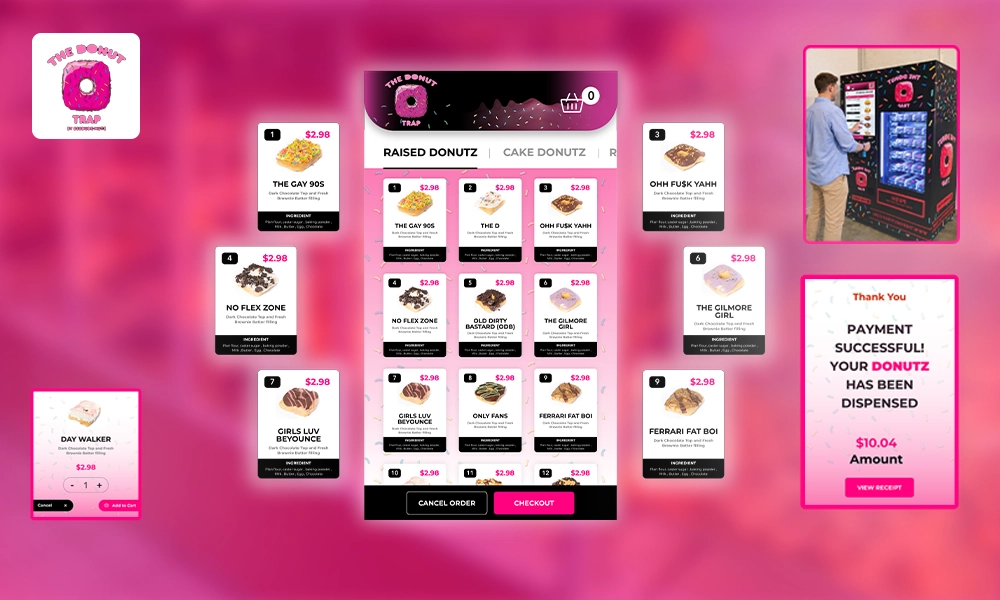
Donut Trap, a donut, ice cream, and coffee business, needed to simplify manual inventory tracking and customer order management.
Maintaining stock records and monitoring product availability required ongoing staff involvement.
Linkitsoft’s Solution
Linkitsoft developed a mobile application integrated with the business’s vending operations.
The solution included:
- Automatic inventory updates after sales
- Low-stock notifications
- Product availability tracking
- Product management functions
- Integrated ordering and digital payments
The Outcome
According to Linkitsoft’s published case study, the solution reduced repetitive manual tasks and improved the management of inventory, sales, and customer orders.
Key Takeaway: Automating inventory updates and product availability tracking can help businesses simplify daily stock management.
Read the Official Donut Trap Case Study
Case Study 2: Vendy – Connected Inventory Tracking
The Challenge
Vendy needed to modernize its traditional vending operations with contactless purchasing and centralized machine management.
The business required better visibility into product availability and machine activity.
Linkitsoft’s Solution
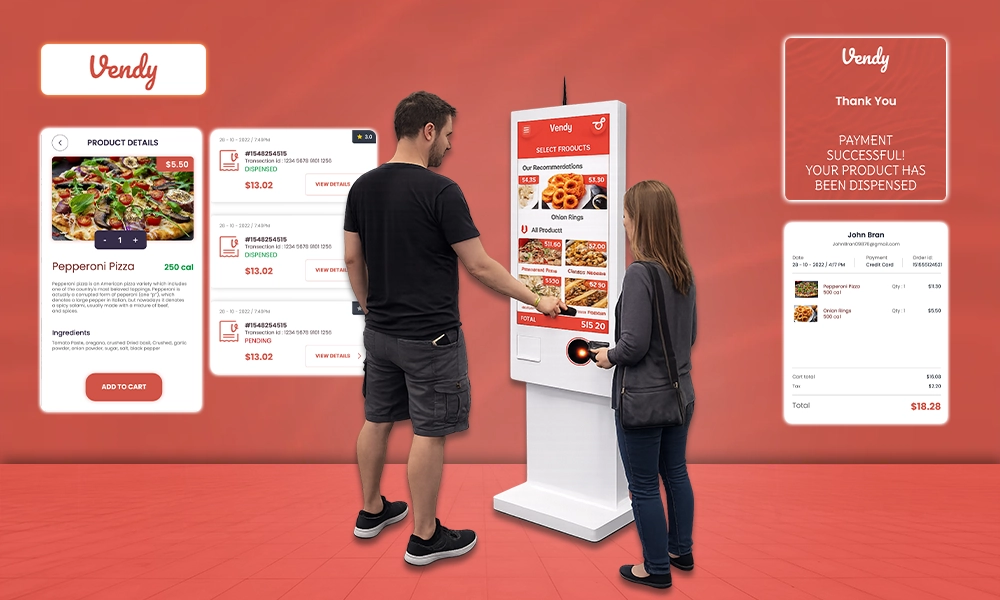
Linkitsoft developed a contactless vending platform supported by backend management functionality.
Inventory-related capabilities included:
- Automatic stock updates after sales
- Remote inventory visibility
- Centralized machine monitoring
- Product availability management
- Offline transaction storage and subsequent synchronization
The Outcome
According to Linkitsoft’s official case study, the platform enabled centralized access to machine information and supported more convenient inventory monitoring.
Key Takeaway: Connecting inventory records with vending transactions can help operators maintain visibility across distributed machines.
Read the Official Vendy Case Study
Common Challenges in Vending Machine Inventory Management
Even with dedicated software, vending businesses may encounter inventory management difficulties.
Limited Machine Connectivity
Machines without compatible telemetry hardware may require manual stock updates.
Temporary communication interruptions can also delay inventory synchronization.
Incorrect Product Mapping
If the software associates a machine selection with the wrong product, inventory records may become inaccurate.
Operators should review product assignments whenever machine configurations change.
Delayed Inventory Updates
Scheduled synchronization or interrupted connectivity may prevent inventory information from reflecting the latest transactions.
Displaying update timestamps helps operators assess data freshness.
Inventory Discrepancies
Recorded inventory may differ from physical quantities because of incorrect restocking entries, damaged products, or unrecorded adjustments.
Periodic reconciliation helps identify these issues.
Different Product Demand Patterns
Product demand varies between vending locations.
Businesses should consider location-specific sales trends when determining stock quantities and replenishment schedules.
Best Practices for Managing Vending Machine Inventory
Inventory management software is most effective when supported by consistent operational procedures.
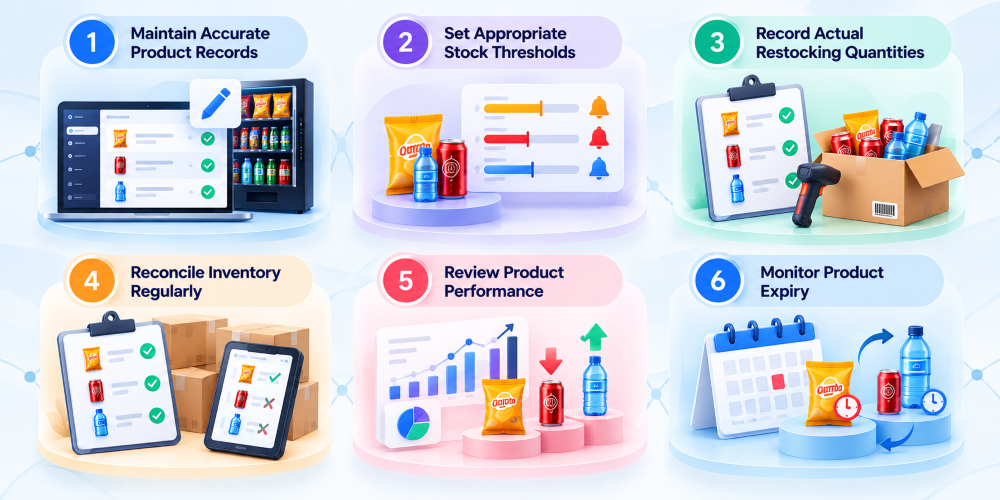
Maintain Accurate Product Records
Use consistent product identifiers and machine assignments.
Update records whenever product selections or assortments change.
Set Appropriate Stock Thresholds
Configure minimum stock levels based on product demand and replenishment frequency.
Review thresholds as purchasing patterns change.
Record Actual Restocking Quantities
Inventory updates should reflect the products physically delivered to a machine rather than estimated quantities.
Reconcile Inventory Regularly
Compare recorded inventory against physical stock during appropriate service visits.
Document discrepancies and necessary adjustments.
Review Product Performance
Analyze sales and inventory movement to identify frequently purchased and slow-moving products.
Use these insights to refine product assortments.
Monitor Product Expiry
For perishable inventory, maintain appropriate expiry tracking and product rotation procedures.
How to Choose the Best Vending Machine Inventory Management Software
The best vending machine inventory management software depends on the business’s hardware, inventory processes, and operational requirements.
Before selecting a platform, evaluate these areas.
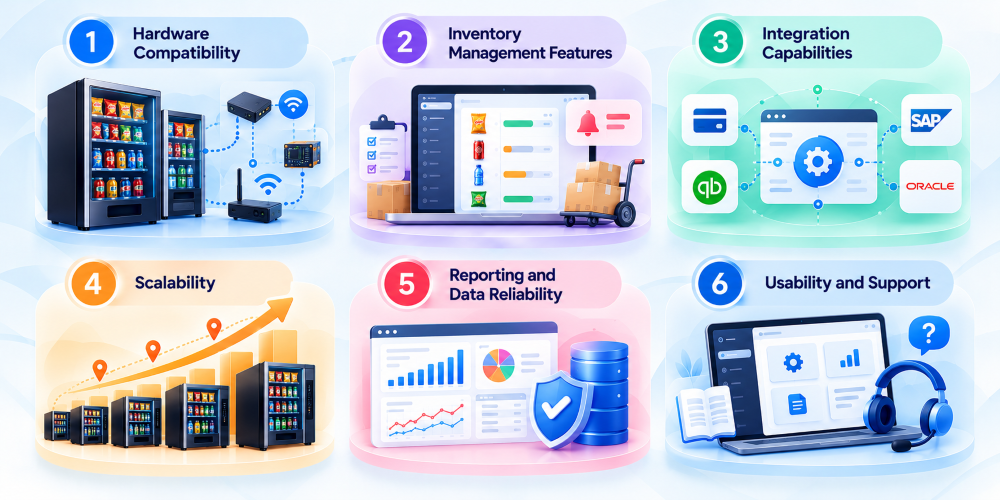
Hardware Compatibility
Confirm support for existing machines, controllers, telemetry devices, and communication interfaces.
Inventory Management Features
Look for capabilities relevant to daily operations, including stock tracking, alerts, restocking, warehouse inventory, and reporting.
Integration Capabilities
Determine whether the software can exchange information with existing accounting, ERP, or other business applications.
Scalability
Consider whether the platform can accommodate additional machines, locations, products, and users.
Reporting and Data Reliability
Review how the system handles inventory updates, synchronization delays, adjustments, and reporting.
Usability and Support
Evaluate interface accessibility, staff training requirements, documentation, and technical support.
When Does a Business Need a Custom Vending Inventory Management System?
Standard vending inventory platforms support many common operational requirements. However, some businesses need features or integrations that are not available in ready-made solutions.
Custom software may be suitable for operators requiring:
- Support for different vending machine hardware
- Specialized replenishment workflows
- Custom warehouse inventory management
- Integration with existing business applications
- Client-specific reporting and permissions
A custom system can be designed around the business’s inventory processes, machine capabilities, and operational requirements.